Claude AI · Practical workplace skills
Claude’s latest updates offer more ways to turn information into useful work. Learn what has changed, where it could help and how practical training can help you get better results.
Updated 13 October 2026 · Practical guide for business professionals
A report needs finishing. The figures are in a spreadsheet, the explanation is scattered across notes, and someone needs a presentation by tomorrow.
These are the kinds of tasks Claude’s recent updates are making easier to tackle. With changes to Cowork, document creation, memory and its model range, Claude offers more ways to turn information into useful work.
Getting value from those capabilities still takes a clear brief, suitable source material and careful review. Here is what has changed, where it could help, and how to build the skills to use it.
From questions to delegated work
Move from a conversation to a completed draft
On 16 September, Anthropic announced that Claude chat and Cowork were coming together, with the rollout starting on Pro and Max plans. The updated experience lets users move from asking a question to delegating a larger task within the same conversation.
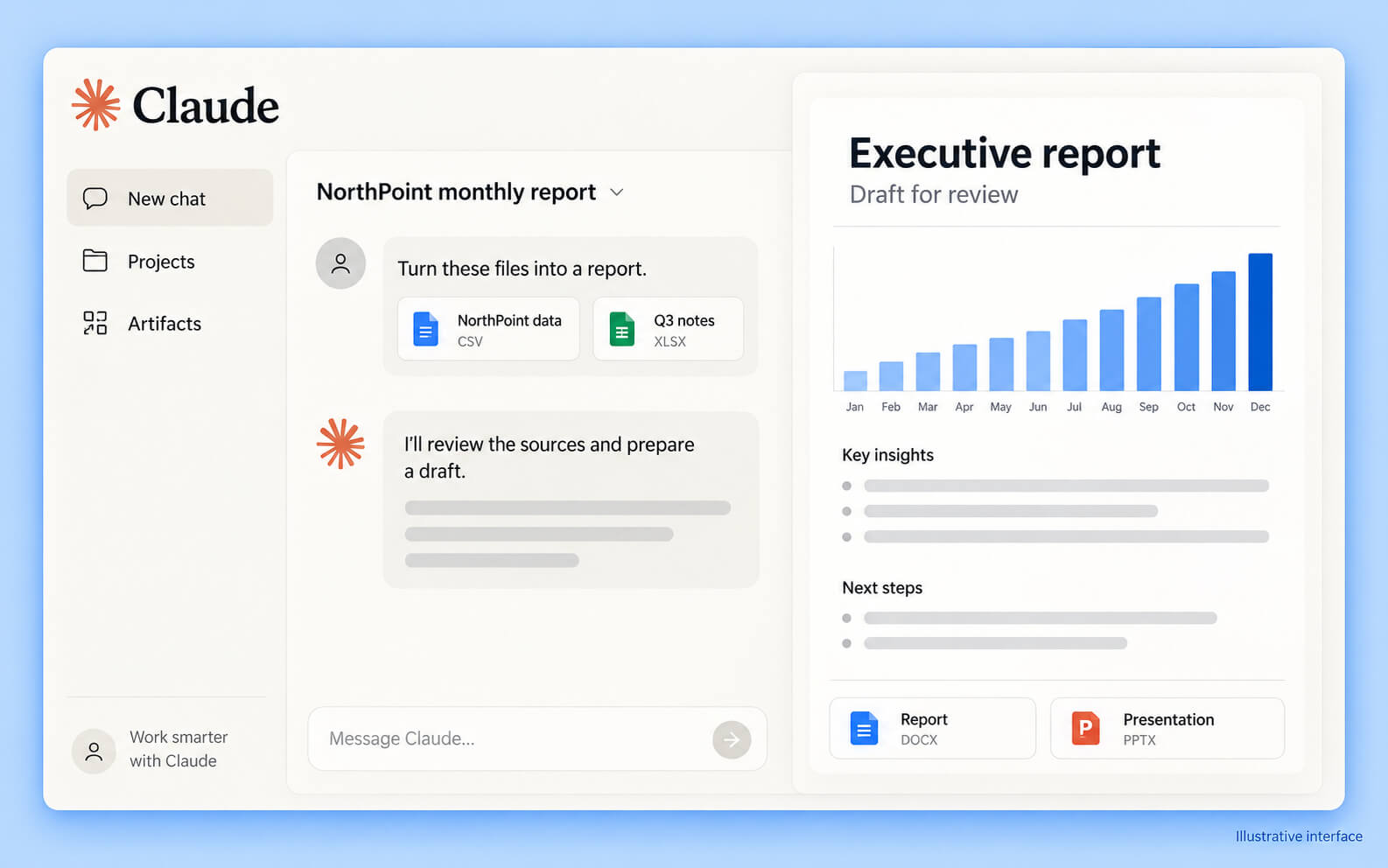
For a business professional, that creates a useful progression. You could start by exploring a set of results, identify what needs explaining, then ask Claude to prepare a draft report for review.
A useful starting point
Specify the source files, reporting period, intended audience and expected output. Ask Claude to explain its proposed approach before it begins.
The quality of the brief matters. Identify where you need to approve the work and what Claude should do if information is missing or unclear.
Create documents and presentations with less rebuilding
On 8 October, Anthropic announced that Claude Docs, Slides and Design had moved out of beta and become available across all plans, including Free. Organisation settings can affect access. These tools support creating and editing documents, presentations and designs within Claude.
A practical use could be turning an approved report into a short presentation for a team meeting. Starting from the same source material may reduce repeated drafting, while giving you a document and presentation to refine.
Source: Anthropic’s October product update.
Spend less time repeating background information
Claude’s August memory update extended continuity across chat and cloud-based Cowork tasks. Users can review, edit and delete saved information.
That could help with recurring work where the audience, writing preferences or project background stay similar.
For example, a monthly update might consistently need a short executive summary, a clear explanation of changes and a list of unresolved questions. Retaining useful context can reduce setup, but current figures and instructions still need to be supplied and checked.
Last month’s information should never quietly become this month’s evidence.
Choose a model that suits the task
Anthropic’s recent releases include Opus 5.5 on 22 September, Sonnet 5.5 on 28 September and Haiku 5.5 on 7 October.
Anthropic positions Sonnet 5.5 as a faster, lower-cost complement to Opus 5.5, and Haiku 5.5 for high-volume, cost-sensitive tasks.
The practical lesson is to match the model to the work. A straightforward rewrite and a complex analysis may need different levels of capability. Compare results against your requirements, including accuracy, completeness and the amount of correction needed.
Source: Claude release notes.
Explore new ways to explain results
October also brought Claude Dashboards and Claude Motion in beta. Dashboards can work with connected data sources, while Motion creates editable animated explainers.
Dashboards is available on paid plans; Motion is available on Team and Enterprise, with administrator controls applying. Potential uses include exploring performance trends or explaining a process visually.
These newer products are not explicitly listed in Nexacu’s current course outline, but they reinforce the value of learning how to define an outcome and check the evidence behind it.
Source: Explore Claude Dashboards and Motion.
Put your skills into practice
Build practical Claude AI skills with Nexacu
Nexacu’s one-day Claude AI course uses a fictional company, NorthPoint, to take learners through a monthly executive reporting workflow.
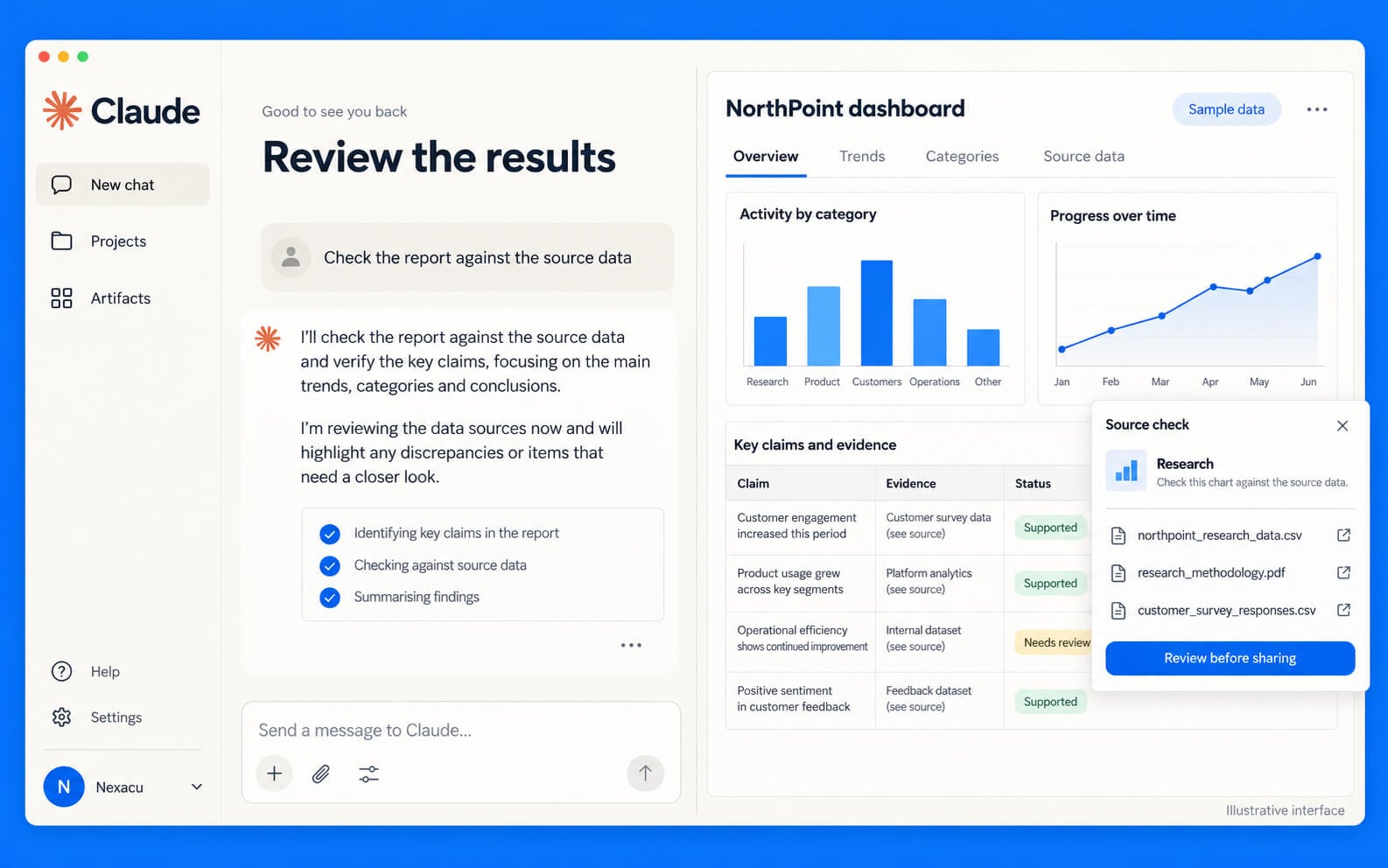
You practise structured prompting, Projects and Memory, creating a reporting pack, checking claims against data, and supervising delegated work in Cowork.
Develop a method you can use again
You also develop a reusable reporting Skill, write an Agent Spec and use it in a Guided Build Lab.
The aim is to build a method you can apply to your own work: provide context, define the deliverable, set approval points and verify the result.
You leave with practical outputs and a 30-day playbook. Further topics, including Chrome, Microsoft 365, connectors and scheduled tasks, sit within the self-paced Beyond the Day follow-up.
No coding or terminals are required for the core course.
Explore Claude AI training and dates