
Why Your Microsoft Copilot Licence May Not Be Delivering Full Value
Microsoft Copilot can help teams write, analyse, summarise and collaborate more effectively. But the value of a licence depends on whether people feel confident using it in their everyday work.
Microsoft Copilot is becoming part of everyday work for many Australian organisations. But giving people access to Copilot is only the first step.
For many teams, the challenge is not whether Copilot is available. It is whether people feel confident using it in their everyday work.
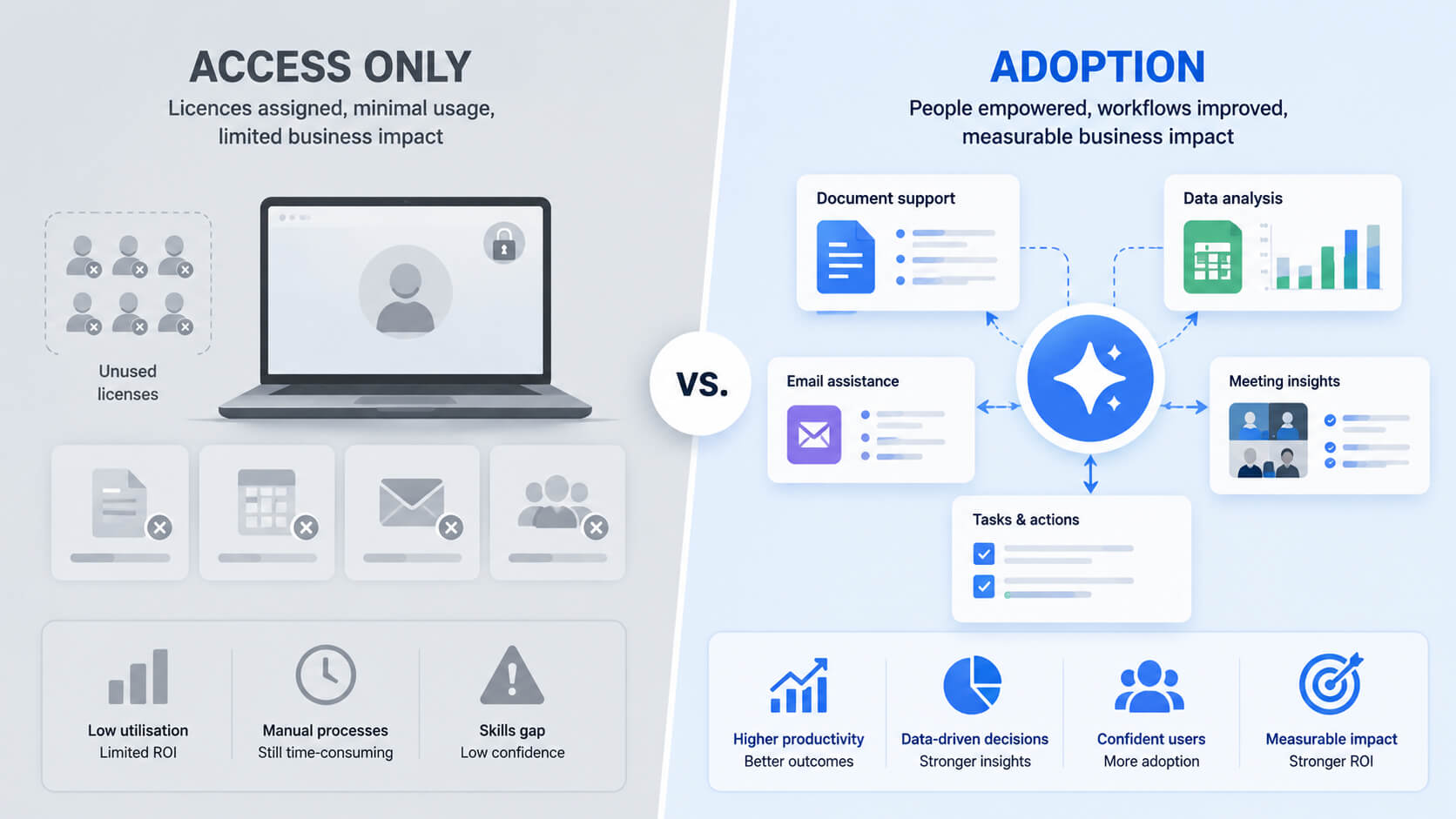
A licence on its own does not automatically change how people write, analyse, communicate or collaborate. Without practical training, employees may try Copilot once or twice, use it for a basic email draft, then return to familiar ways of working. Not because the tool lacks value, but because they have not been shown how to use it well.
TL;DR: Copilot adoption does not happen just because licences have been switched on.
Teams need hands-on training, workplace examples and practical prompting skills so they can use Copilot with more confidence across Word, Excel, Outlook and Teams.
1) Access Does Not Always Lead to Adoption
Rolling out Microsoft Copilot across a team can be a significant investment. Microsoft’s Australian pricing page lists Microsoft 365 Copilot Business on a per-user, per-month subscription model, which means costs can add up quickly across departments, teams and locations. Source: Microsoft 365 Copilot pricing
The value comes when people know how to use Copilot in meaningful, practical ways.
That might mean using Copilot in Word to reshape a document, in Outlook to summarise long email threads, in Teams to capture meeting actions, or in Excel to explore data and identify insights faster. Microsoft positions Copilot as an AI assistant across Microsoft 365 apps, helping users draft content, summarise information and surface insights from their work context. Source: Microsoft 365 Copilot overview
Practical read: The issue is not usually resistance. More often, it is uncertainty. People need time, examples and hands-on practice to build confidence with new ways of working.
2) Why Copilot Training Matters
Copilot changes the way people approach everyday tasks. Instead of starting with a blank page, users can begin with a prompt. Instead of manually working through long threads or meeting notes, they can ask Copilot to summarise and structure information. Instead of building everything from scratch, they can use AI assistance to create a first draft, review options and improve output.
But these skills are not always intuitive.
Effective Copilot use depends on knowing how to ask clear questions, provide the right context, refine prompts and review the response critically. It also requires people to understand where Copilot can help, where human judgement is still needed, and how to use AI responsibly in a workplace setting.
Good training gives people a safe, practical environment to explore Copilot, ask questions, test examples and see how AI can support the work they already do.
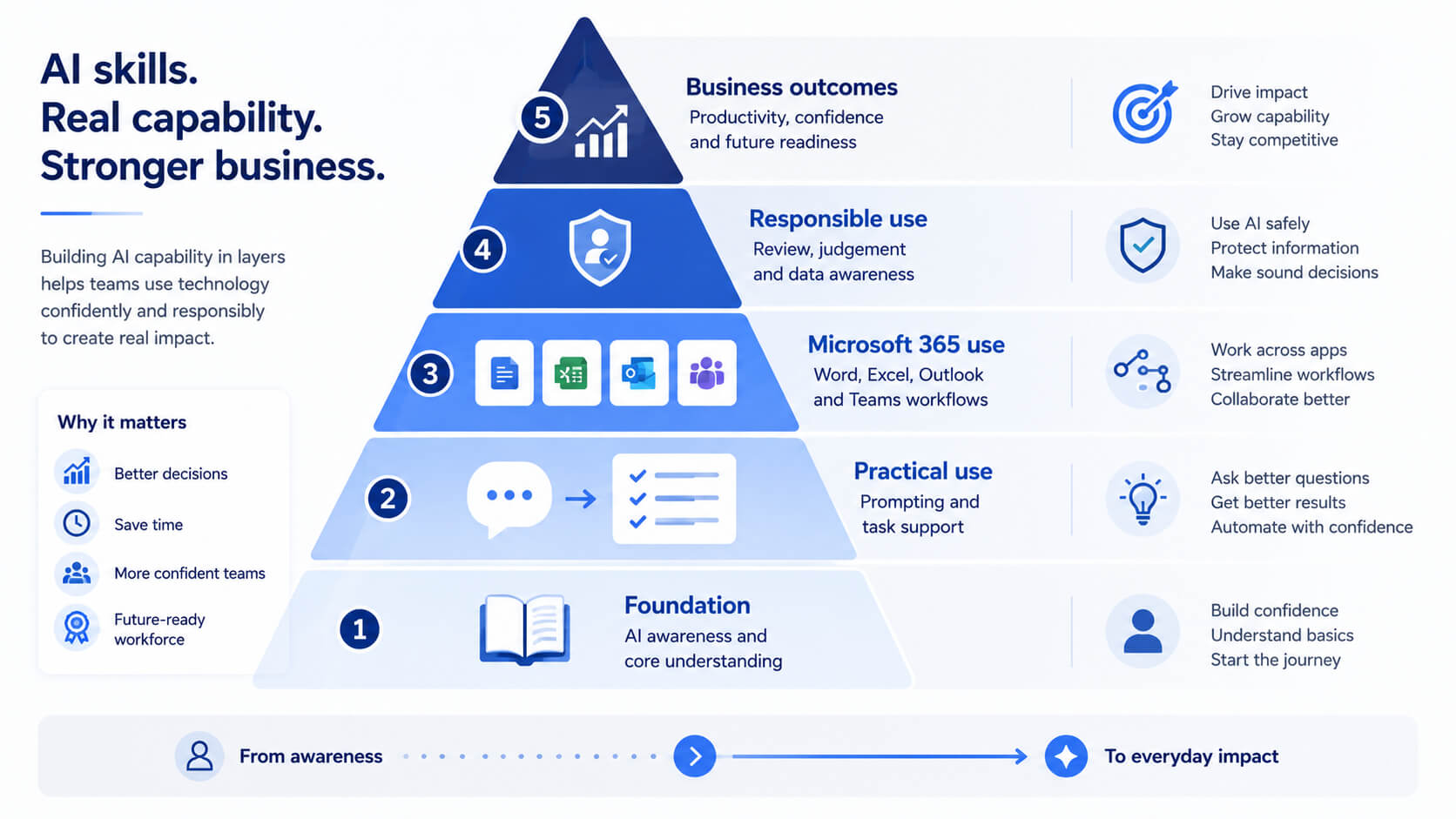
Learners practise how to ask better questions, provide useful context and refine the response.
Training connects Copilot to common tasks such as drafting, summarising, reporting and meetings.
People learn how to assess AI-generated outputs and apply human judgement before using them.
3) What Good Copilot Adoption Looks Like
Organisations that get better value from Copilot tend to focus on capability, not just access.
That means helping employees understand how Copilot applies to their actual work. A finance team may need support with Excel analysis and reporting. A marketing team may want to improve content drafting and campaign planning. Managers may need help summarising meetings, preparing updates and managing communication. Operations teams may want to reduce time spent on repetitive documentation and follow-up tasks.
This is not about turning every employee into an AI expert. It is about giving people enough practical skill and confidence to use Copilot as part of their normal workday.
4) Where Australia Is Heading on AI Skills
AI capability is becoming an important part of workplace readiness.
Microsoft has announced a commitment to help three million Australians build workforce-ready AI skills by the end of 2028, describing it as Australia’s largest AI skilling commitment. Source: Microsoft AI skilling commitment
That announcement reflects a broader shift in the market: AI fluency is moving from a specialist capability to a practical workplace skill. The Australian Government’s National AI Plan also identifies digital and AI skills as part of building a more competitive, productive and resilient AI-enabled economy. Source: Australian Government National AI Plan
Microsoft’s 2026 Australian Work Trend Index also points to a growing capability gap. It reported that 68% of Australian AI users fear falling behind if they do not adapt quickly, while only 28% say their organisation is clearly aligned on AI strategy and policies. Source: Microsoft 2026 Australian Work Trend Index
Small distinction that matters
The organisations that benefit most from AI will not be the ones that simply switch the tools on. They will be the ones that support their people to use those tools well.
5) How to Check Whether Your Team Is Ready
Before investing further in Copilot, it can help to ask a few practical questions:
- Are people using Copilot beyond simple email drafting?
- Can your team use Copilot in Word, Excel, Outlook and Teams with confidence?
- Do employees know how to write prompts that give useful, relevant results?
- Are meeting summaries, action items and follow-ups still being created manually?
- Can people explain when Copilot is useful and when human review is essential?
- Has your team had hands-on practice with examples relevant to their roles?
If the answer to most of these questions is “not yet”, the issue may not be the licence. It may be the lack of practical adoption support.
6) How Nexacu Helps Teams Build Copilot Capability
Nexacu’s Microsoft Copilot training is designed to help Australian teams move from awareness to confident, practical use.
Our live, instructor-led courses focus on hands-on learning, real workplace examples and skills that learners can apply immediately. Instead of a generic feature walkthrough, participants work through practical exercises that show how Copilot can support everyday tasks across Microsoft 365.
Draft, edit, summarise and improve workplace communication.
Summarise meetings, identify follow-up actions and manage communication more efficiently.
Explore data, organise information and build confidence using AI-assisted analysis.
Write clearer prompts, refine outputs and apply appropriate judgement before using AI-generated content.
Our experienced trainers help learners understand not just what Copilot can do, but how to use it in a way that supports better work.
Training can be delivered live online or in person, with options for individuals, teams and organisations looking to build AI capability at scale.
7) FAQs
These are some of the most common questions organisations ask when planning Microsoft Copilot training.
Why do Copilot licences go unused?
Copilot licences can go underused when employees receive access without practical training. People may know the tool exists but not know how to apply it to their daily tasks, write effective prompts or assess the quality of AI-generated outputs.
What should Copilot training include?
Practical Copilot training should include hands-on exercises across Word, Excel, Outlook and Teams, prompting practice, real workplace examples, output review and guidance on responsible AI use.
Is Copilot training only for technical teams?
No. Copilot training is useful for non-technical teams because it focuses on everyday work such as writing, summarising, analysing information, preparing updates and improving collaboration.
Can Nexacu deliver Copilot training for a whole team?
Yes. Nexacu offers live instructor-led Copilot training for individuals, teams and organisations. Training can be delivered online or in person, with practical examples aligned to workplace use.
Does this course teach Copilot Studio?
This article focuses on Microsoft 365 Copilot training for everyday workplace use across apps such as Word, Excel, Outlook and Teams. It does not position the training as advanced Copilot Studio development unless a specific course is designed for that purpose.
Build Confidence Before Licence Waste Becomes the Norm
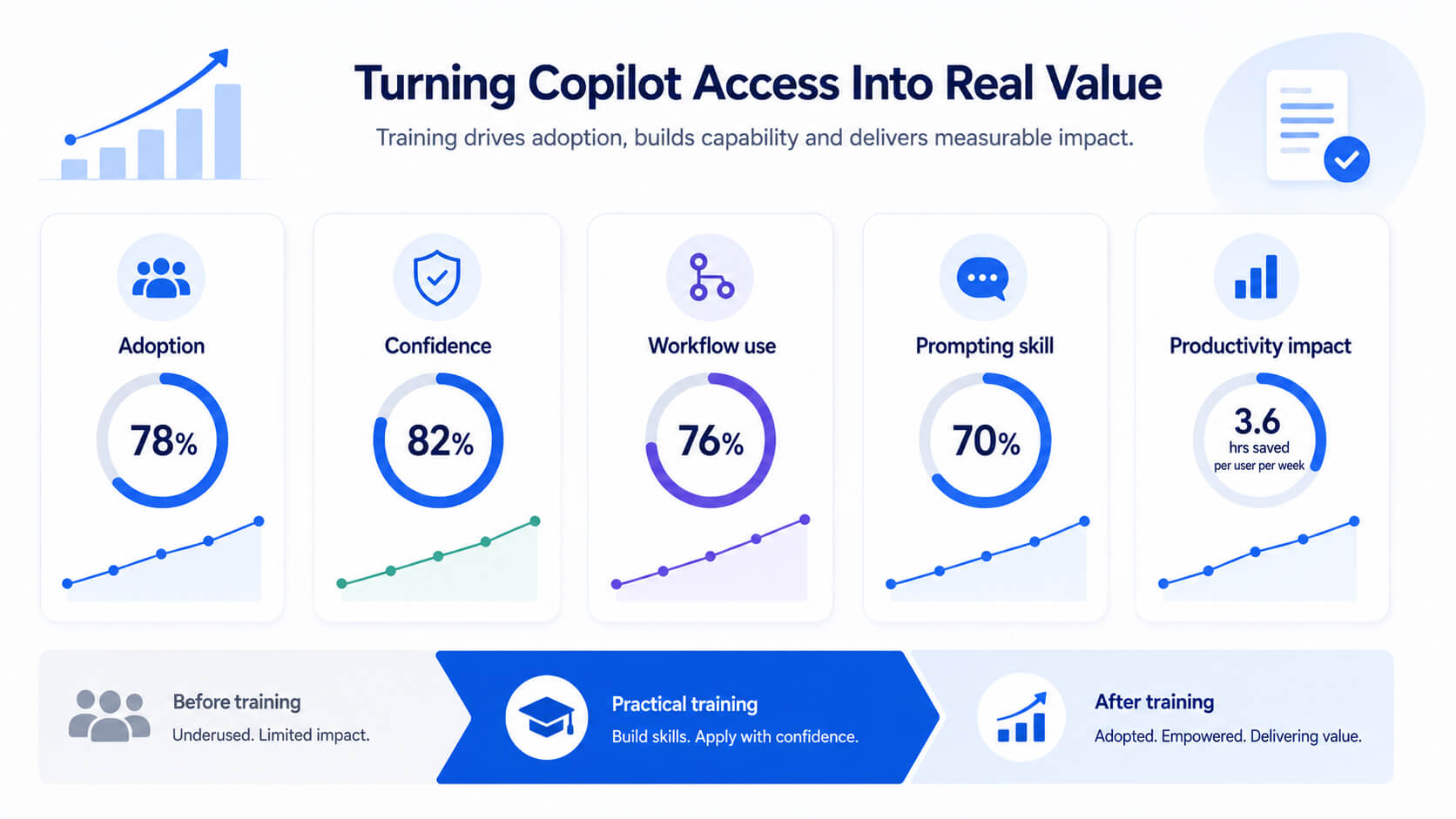
Microsoft Copilot can support better writing, faster analysis, clearer communication and more efficient collaboration. But that value depends on whether people know how to use it.
The right training helps reduce uncertainty, improve adoption and give employees the confidence to bring Copilot into their everyday work.
Help your team use Microsoft Copilot with confidence
Explore Nexacu’s Copilot courses or contact us to discuss a tailored training session for your team.
- Use Copilot more confidently
Build practical habits through guided exercises
- Apply AI to real work
Work through examples across Microsoft 365
- Reduce uncertainty
Learn when to use Copilot and how to review outputs
Nexacu is a Lumify Group company, delivering Microsoft, Adobe, data analytics, AI tools and professional development training to teams across Australia.

































